
Introduction
[specs-box]
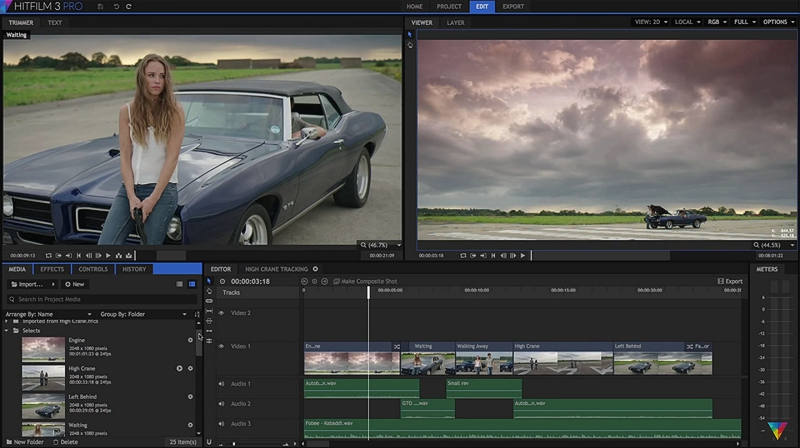
HitFilm is an all-in-one editing, 3D and VFX software that prides itself on being a toolset that can be used by independent filmmakers, artists and newcomers to VFX and editing. Developed by UK-based company FXhome, the software allows users to import media, edit it, composite and add effects to it, then export the results to a variety of formats.
The market in which HitFilm resides has some fierce competition.
When you think of compositing tools, one immediately thinks of products
like After Effects, Nuke or Fusion. These are big players in the VFX and compositing
arena, so where does Hitfilm fit in? The software also offers editing
capabilities, so how does it compare to related products like Final
Cut, Adobe Premiere or Sony Vegas?
In this review I will take a look at HitFilm 3 and see what it has
to offer, and we will find out where it stands when compared to some of
these similar tools.
Installation & Setup
Hitfilm 3 offers a unique experience of being able to do both
editing and VFX compositing within one software. Other software tools
out there tend to focus one or the other, so I was interested in seeing
how the HitFilm workflow handled these two areas of production within
one interface.
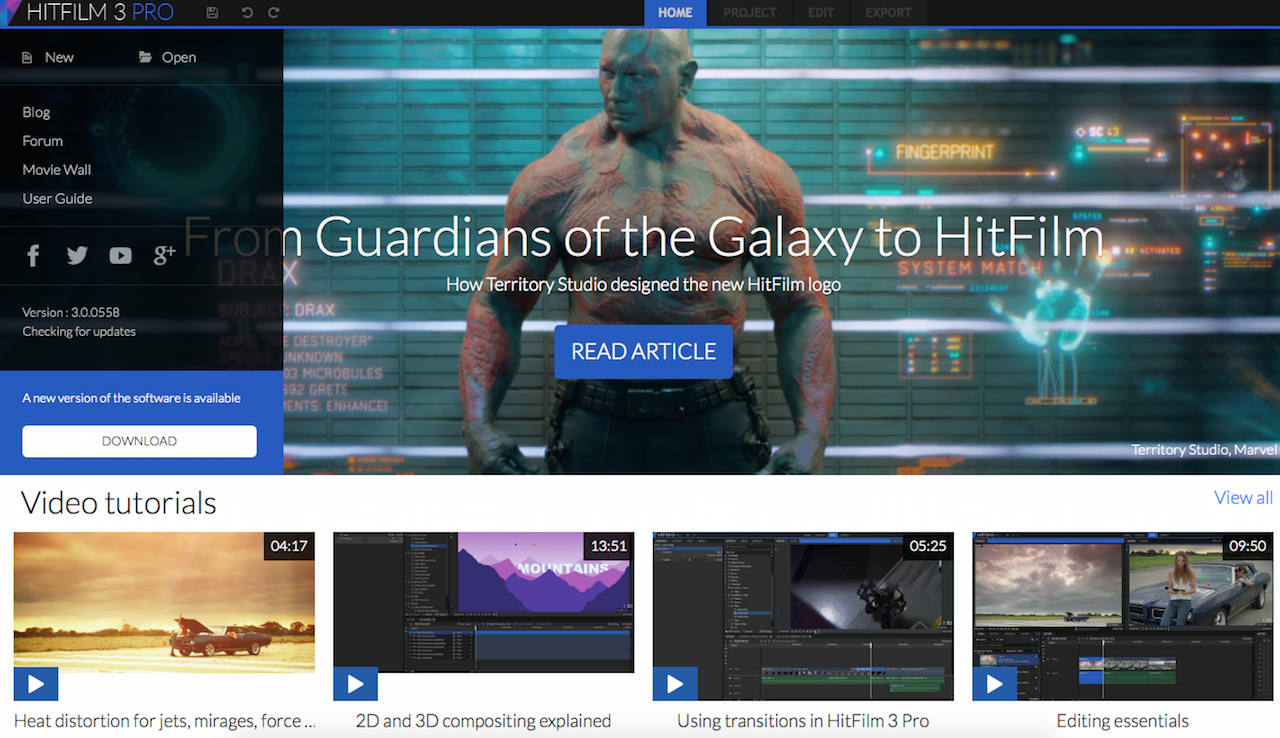
HitFilm can be purchased at a cost of $299 USD from the official
website and once the software was downloaded, I was able to quickly get
it up and running. The first obstacle any user faces when using or
learning a new software is usually becoming friends with the UI, and
learning how everything works. HitFilm has done a really great job of
putting new users at ease. Upon launching the interface, users are
greeted with a simple layout, a homepage that offers direct links to
the HitFilm user guide, video tutorials and user forums. So anyone who
is new to HitFilm can easily search out what they are looking for. This
is a great way to learn what HitFilm is capable of, but it also allows
you to focus on a particular topic right from the get-go. Getting up to
speed takes no time at all, and some of the tutorial topics covered are
particles, motion graphics and editing essentials.
Setting up your project workspace is simple and straightforward. In
the “Project” tab users can specify project settings that include the
typical options offered by most video editing and compositing programs
like resolutions, 8 & 16bit depth, and frame rate.
Editing & Compositing
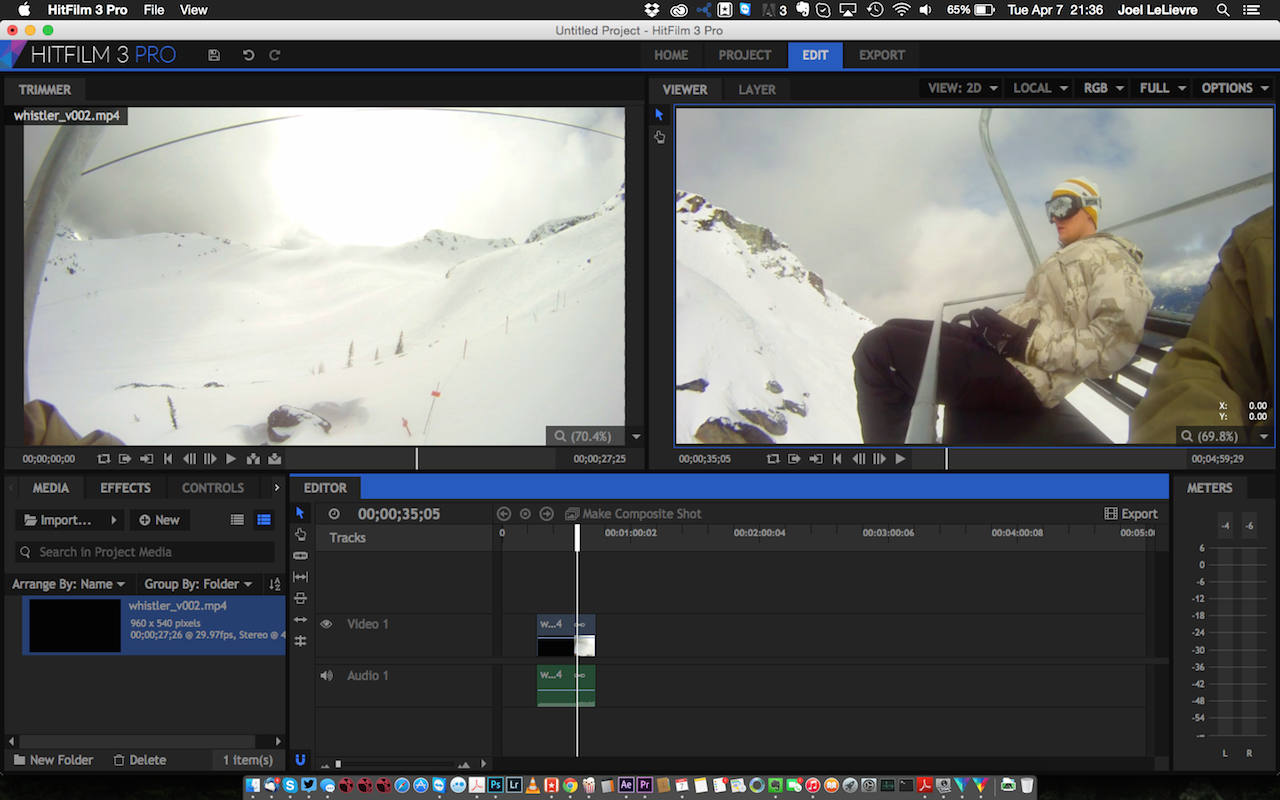
The editing component of HitFilm will feel very familiar to anyone
who has done any editing before. I will admit, the interface feels like
a clunkier, less congested version of Adobe Premiere. The panels, and
general layout are what one would expect from a typical video editing
toolset, and all of the common editing tools are there. One area that
seemed to be lacking was audio. With a limited audio toolset, users can
hope this is an area that HitFilm can improve upon in future releases.
The compositing side of the software has a lot to offer. Again, the
interface is very similar to After Effects so any AE user will feel
right at home, be it for working with compositing or finishing video
projects.
One great feature of editing in HitFilm that greatly
simplifies workflow when moving from editing to compositing is that you
can simply select your shot, hit ‘Make Composite Shot’, and it will
create a composite using the clip selected. Next step is to choose
View-Workspace-Compositing from the main menu and you are now using the
compositing interface. This is a nice change from using software like
Premiere and After Effects where you have to switch out of one, and
into another.
Now that we have a composite to work with, we have a wide range of
effects, filters, and presets that we can use to alter our footage. The
standard tools one would expect in a compositing application are there:
tools for keying, masking, and colour correction are all present. I was
really impressed at how in-depth HitFilm’s composting toolset is.
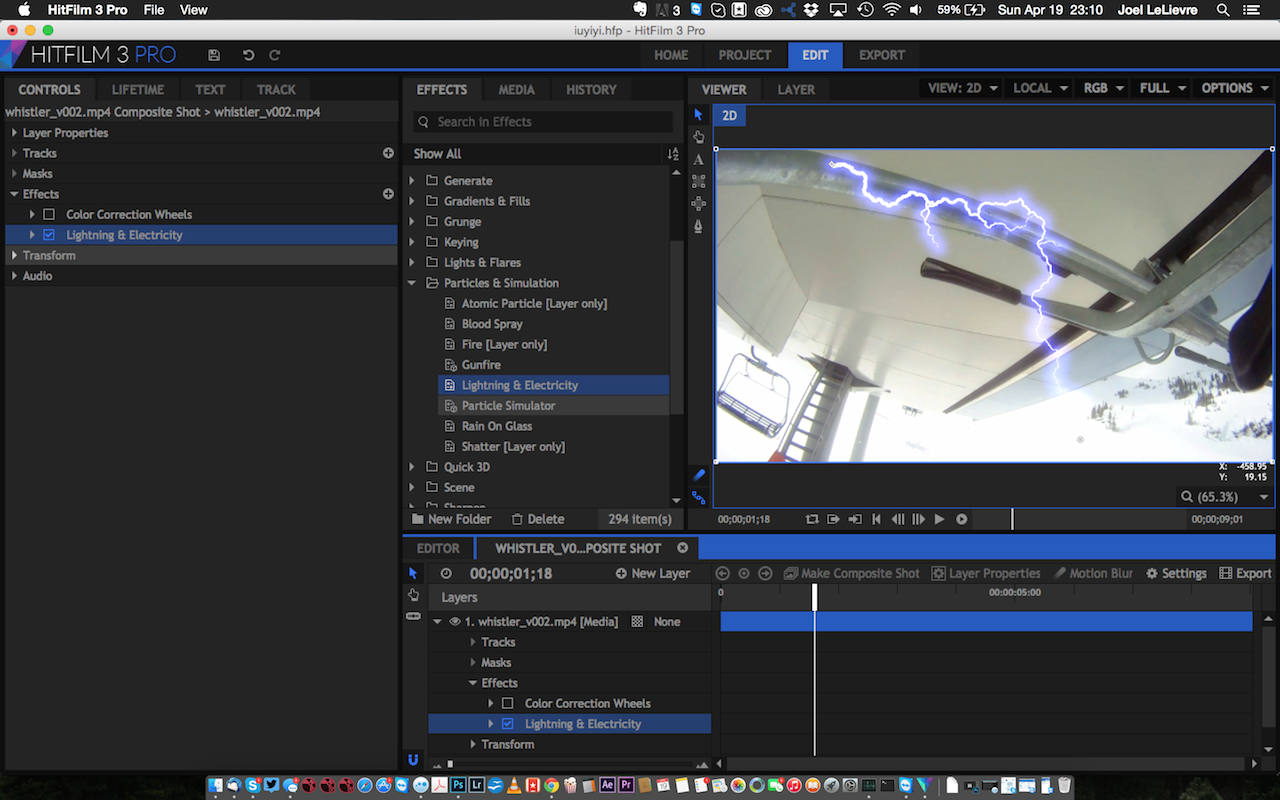
The sheer amount of tools, and especially particle setups was really nice
to see, and it offers a wide range of effects to use and customize for
projects’ needs. Some of the great particle setups include blood
splatter, smoke, sparks, and rain and could be considered similar to
what Trapcode Particular offers in After Effects, or Nuke’s particle
tools. The presets are drag and drop, and can be easily customized,
something which can speed up your workflow and allows you to focus on
adjusting the settings to get the look you are after. Users can also
right click on a customized effect and save it as a preset for future
use. HitFilm supports the OpenFX standard, so users can use plugins
from other vendors and developers as well.









nice Joël. Any chance you’d do a clarisse fx review?