Lumonix announces the release of new version 1.5 of ShaderFX, the node-based real-time shader editor for Max, with many new features and improvements. Read on for more.
Lumonix press release:
Kees Rijnen and I would like to announce that version 1.5 of ShaderFX (the node-based
real-time shader editor for 3DS Max) is now available at http://www.lumonix.net/shaderfx.html.
This version is a free upgrade to those who have already purchased the plugin
– and as always – a free demo is available for download.
After we released the first version of ShaderFX, we received tons of good ideas
for how to make the software better. We went to work and had a great time adding
all kinds of powerful new shader tools. We’re including some features in this
version that were previously only possible in high-end software renderers –
or to artists backed by a team of graphics programmers. These complex effects
are now possible in ShaderFX by simply wiring a few nodes together. We’ve been
able to create some really amazing shaders in the process of developing the
tool, and we’re really excited to launch this new version and see what all of
you guys can create with it.
Here’s a quick look at some of the new features we’re including in the new version:
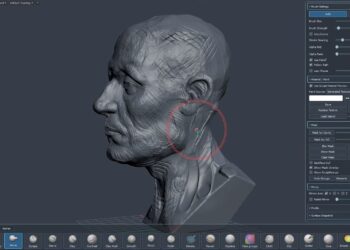
* Subsurface Scattering For skin and other translucent materials
* Perlin Noise To create procedurally generated texture effects
* Glow Material – For creating bright glowing objects
* Bump Mapping For adding surface detail with a gray-scale height map
* Object Space Normal Mapping Extended normal map format support
* DXT5 Normal Maps For high quality four to one compression of normal
maps
* Relief Mapping Simulates complex surface detail while maintaining a
low poly count
* Refraction Light bending for transparent objects
* Multi-Subobject Materials – Allows for multiple shaders on a single model
* Projected Texturing Can project a texture onto a model in world or object
space
* DXSAS Support Export shaders using Microsoft’s standard for annotation
and syntax
* Custom Code Node Programmers can insert custom HLSL code into the node
tree
* Instruction Count Report Shows shader’s performance and allows for optimization
We’ve included a more detailed description of each of the new features on the
web site as well as demo videos on most of the new features. Come visit the
site, take a look at the new features and tell us what you think!