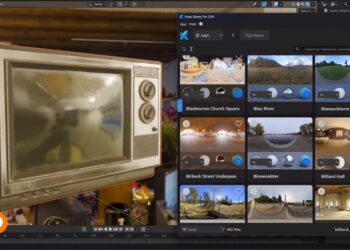
Thomas Mansencal and Christian Bloch have announced the release of SIBL_GUI 4. New features in the latest version of the tool for creating optimized IBL setups include:
– Built on Umbra – http://github.com/KelSolaar/Umbra
– Script Editor – A Script Editor is available allowing direct interaction with SIBL_GUI and the various resource files.
– Component Manager – The Software is component based, meaning that you can extend the functionalities of SIBL_GUI easily and even tweak or modify built-ins components. There are different factory and core components that create the foundations of the framework and the others are addons. They are optional and can be deactivated. It’s possible to modify and reload them dynamically.
– Layouts – Most of the UI is built around Qt Dock Widgets, meaning that you can put them wherever you want in the interface and store / restore the layout. There are 5 factory layouts ( Library, Inspect, Export, Edit, Preferences ) and 5 user defined layouts.
– Sqlite Database – Ibl Sets, Templates and Collections informations are stored in a database, it’s now easier to organize your Collections the way you want without having to move your files around everywhere on the hard drive. You can add Sets one by one if you want. If you modify an Ibl Set it will be immediately reloaded, same for the Templates. There is also an Ibl Sets Scanner Addon Component that will scan the Ibl Sets Locations to add automatically any new Ibl Sets added on the Hard Drive ( The Ibl Sets are added to the Default collection ).
– Bings Map based GPS Map – The GPS Map is Bings Map based making it a nice tool to see where an Ibl Set has been shot.
– Search Database – The search engine offers various search possibilities, you can for example search in a range of time, to get all Sunset Ibl Sets for example.
The 3DS Max helper script has been updated to work with SIBL_GUI 4. More at HDRLabs.