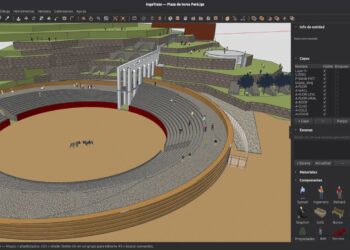

New features in Trimble’s modeling software for Archviz, product design and manufacturing include:
- SketchUp Procedures – iterate faster with native, non-destructive modeling in tools you already know: Follow Me, a selection of Solid Tools and the new Copy Along tool all provide Procedural Components that are easy to edit and interact with
- Section Fill Hatches – patterns are now available to better represent the different layers inside of a solid object
- AutoFit Live Components – new interactive placement method that automatically configures a Live Component when you drag-and-drop it onto a face in your model
- Outliner Sort – new sort options in Outliner can help you organize component instances by tag in addition to the regular model hierarchy
- Coordinate Reference Systems – Add Location now supports Coordinate Reference Systems (CRS), allowing you to accurately geolocate a model using the coordinate system and project coordinates used by your project
- Touchpad support
SketchUp now also offers a unified interface for Windows and MacOS, ability to open and modify multiple models, Hidden Line performance enhancements and interoperability improvements including more controls to DWG and DXF imports and exports, advanced IFC workflows, improved TrimBIM and IFC parity, and USD.
SketchUp is offered through rental licensing and plans start at $10.75 per month for commercial work. A free browser-based version is available with limited features.
Visit the What’s New page and read the whole list of changes on SketchUp’s site for more.