CGPress
  • News
    • General
    • Software
    • Industry
    • Video Games
    • Tech
    • Hardware
  • Articles
    • General
    • Reviews
    • Interviews
  • Tutorials
    • By subject
    • By software
    • Training & Courses
  • Resources
  • Spotlight
    • Reels
    • Films
    • Film Trailers
    • Game Trailers and Art
    • Breakdowns
    • Making Ofs
    • Music Videos
    • CG Videos
    • Images
    • Spots
  • Contribute News
  • News
    • General
    • Software
    • Industry
    • Video Games
    • Tech
    • Hardware
  • Articles
    • General
    • Reviews
    • Interviews
  • Tutorials
    • By subject
    • By software
    • Training & Courses
  • Resources
  • Spotlight
    • Reels
    • Films
    • Film Trailers
    • Game Trailers and Art
    • Breakdowns
    • Making Ofs
    • Music Videos
    • CG Videos
    • Images
    • Spots
  • Contribute News
No Result
View All Result
CGPress
Home Software 3DS Max Plugin News

Texture Layers 2 released

by SevensHeaven
March 31, 2014
Reading Time: 2 mins read
0

Turbo Squid has announced the release of Mankua’s advanced texture mapping plug-in Texture Layers 2 for 3ds max 4, 5 and 6.

Texture Layers 2 is the latest incarnation of Mankua’s advanced mapping and texturing system for Discreet 3ds max software and Autodesk VIZ customers. With Texture Layers 2, 3D artists can create and animate all of their mapping channels within a single modifier, applying different mapping styles to parts of the same object in just minutes. Texture Layers 2 for 3ds max is like having a modifier stack within a single modifier. The product offers advanced mapping tools and includes Spline Mapping, Free Form Deformation, UVW Frame and a much needed Pelt system to give artists the ability to apply maps to their most detailed models.

RELATED POSTS

SmartAnim advanced rigging for 3ds Max released

3dProject Manager 3.41 released

Miauu releases Layer Colorizer for 3ds Max

Texture Layers 2 also includes its own Sub-Object selection mode so users can choose parts of their model on the fly, while allowing them to read in saved selection sets from elsewhere in the Modifier stack. TL 2 also allows customers to quickly copy, paste, save and load mapping channels within the same modifier, or from one modifier to another to suit their needs. Additionally, there is no need to use Multi/SubObject Material IDs when assigning materials. After application, all material or parts of the material are put into other layered materials to control how the final material is displayed.

Texture Layers 2 features:
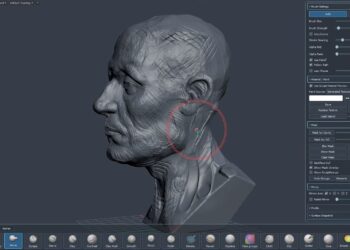
  • Completely re-designed UI makes creating and managing multiple texturing layers simple.
  • Fully compatible with Editable Mesh, Poly and Patch.
  • New UV Viewport allows users to see their maps in UV Space within a special window.
  • The product comes with two special map types designed to allow mapping layers to blend seamlessly together.
  • Transfer and use saved selection sets of faces and edges to help control mapping boundaries.
  • ShareTweet

    SevensHeaven

    Related Posts

    SmartAnim advanced rigging for 3ds Max released
    3DS Max

    SmartAnim advanced rigging for 3ds Max released

    October 7, 2025
    3dProject Manager 3.41 released
    3DS Max

    3dProject Manager 3.41 released

    October 6, 2025
    Miauu releases Layer Colorizer for 3ds Max
    3DS Max

    Miauu releases Layer Colorizer for 3ds Max

    October 2, 2025
    Ornatrix makes its software free for students and educational institutions
    Plugin News

    Ornatrix makes its software free for students and educational institutions

    October 1, 2025
    AnimRef provided in-viewport image sequence playback for 3ds Max
    3DS Max

    AnimRef provided in-viewport image sequence playback for 3ds Max

    September 4, 2025
    Free Material Assets Browser for 3ds Max
    3DS Max

    Free Material Assets Browser for 3ds Max

    September 4, 2025
    Next Post

    New SplutterFish Artist Spotlight

    HairFX now available

    Recent Comments

    • Rawalanche on Blender 5.0 released
    • d3d on Autodesk releases 3ds Max 2026.3
    • Damm on Autodesk releases 3ds Max 2026.3
    • Stephen Lebed on Blender 5.0 released
    • d3d on Blender 5.0 released

    Popular Stories

    • Autodesk releases 3ds Max 2026.3

      Autodesk releases 3ds Max 2026.3

      0 shares
      Share 0 Tweet 0
    • 3ds Max 2024 now available for download

      0 shares
      Share 0 Tweet 0
    • Blender 5.0 released

      0 shares
      Share 0 Tweet 0
    • Canva reimagines Affinity Studio and releases it free to all users

      0 shares
      Share 0 Tweet 0
    • Unreal Engine 5.7 Preview released with new procedural and material tools

      0 shares
      Share 0 Tweet 0
    Facebook Twitter
    CGPress

    CGPress is an independent news website built by and for CG artists. With more than 15 years in the business, we are one of the longest-running CG news organizations in the world. Our news reporting has gathered a reputation for credibility, independent coverage and focus on quality journalism. Our feature articles are known for their in-depth analyses and impact on the CG scene. “5 out of 5 artists recommend it.”

    Recent Posts

    • RealityScan 2.1 released
    • Keyshot 2025.3 Released
    • Silo adds Blender bridge
    • About Us
    • Terms and Conditions
    • Privacy Policy
    • Cookie Policy (UK)
    • Contact Us
    • Contribute News
    • Advertise on CGPress

    © 2025 CGPress

    Welcome Back!

    Login to your account below

    Forgotten Password?

    Retrieve your password

    Please enter your username or email address to reset your password.

    Log In

    Add New Playlist

    Manage Cookie Consent

    CGPress uses technology like cookies to analyse the number of visitors to our site and how it is navigated. We DO NOT sell or profit from your data beyond displaying inconspicuous adverts relevant to CG artists. It'd really help us out if you could accept the cookies, but of course we appreciate your choice not to share data. 

    Functional Always active
    The technical storage or access is strictly necessary for the legitimate purpose of enabling the use of a specific service explicitly requested by the subscriber or user, or for the sole purpose of carrying out the transmission of a communication over an electronic communications network.
    Preferences
    The technical storage or access is necessary for the legitimate purpose of storing preferences that are not requested by the subscriber or user.
    Statistics
    The technical storage or access that is used exclusively for statistical purposes. The technical storage or access that is used exclusively for anonymous statistical purposes. Without a subpoena, voluntary compliance on the part of your Internet Service Provider, or additional records from a third party, information stored or retrieved for this purpose alone cannot usually be used to identify you.
    Marketing
    The technical storage or access is required to create user profiles to send advertising, or to track the user on a website or across several websites for similar marketing purposes.
    • Manage options
    • Manage services
    • Manage {vendor_count} vendors
    • Read more about these purposes
    View preferences
    • {title}
    • {title}
    • {title}
    No Result
    View All Result
    • News
      • General
      • Software
      • Industry
      • Video Games
      • Tech
      • Hardware
    • Articles
      • General
      • Reviews
      • Interviews
    • Tutorials
      • By subject
      • By software
      • Training & Courses
    • Resources
    • Spotlight
      • Reels
      • Films
      • Film Trailers
      • Game Trailers and Art
      • Breakdowns
      • Making Ofs
      • Music Videos
      • CG Videos
      • Images
      • Spots
    • Contribute News

    © 2025 CGPress

    Are you sure want to unlock this post?
    Unlock left : 0
    Are you sure want to cancel subscription?