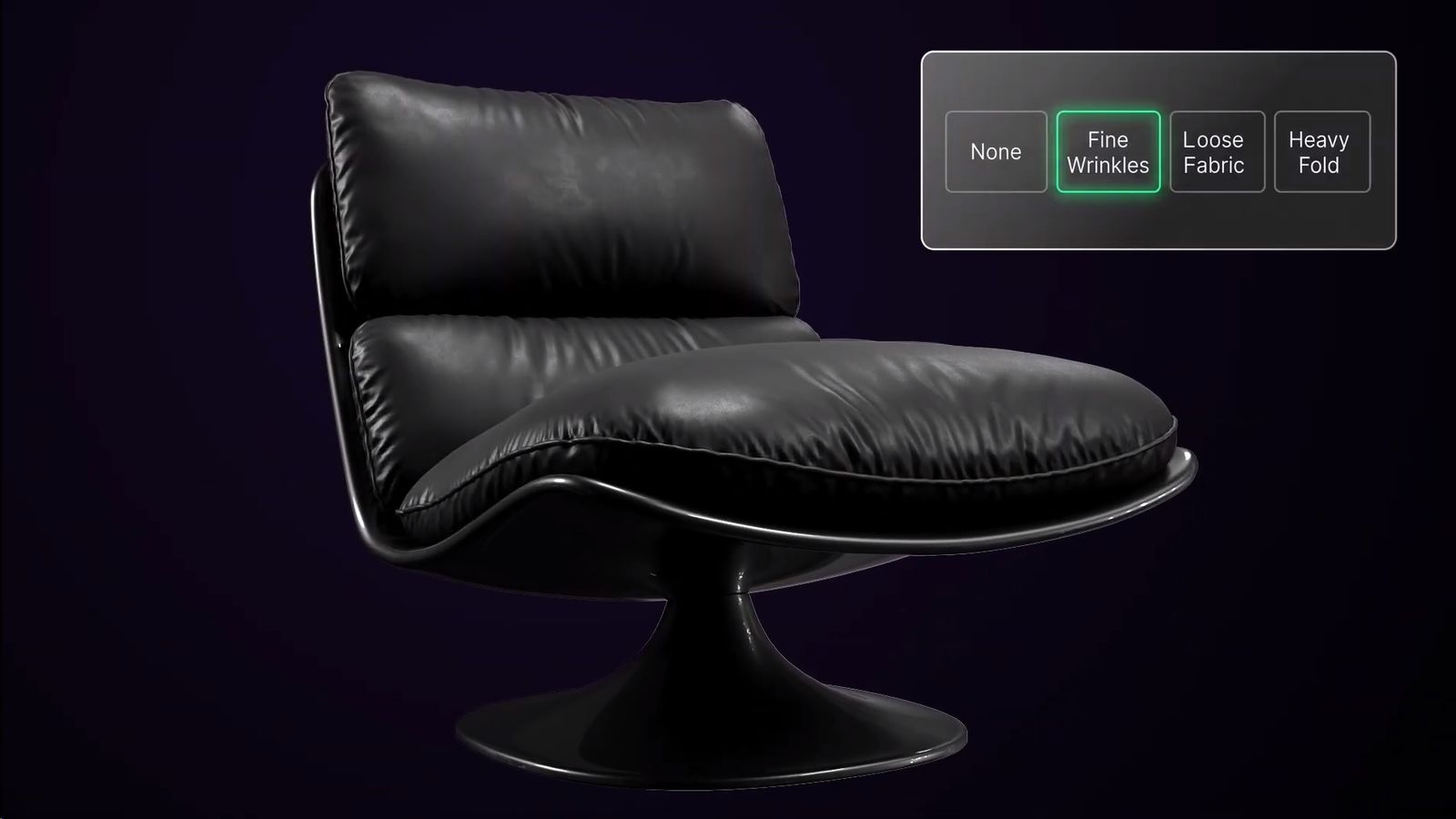
FoldFlow is out of beta and officially released. New features in the plugin designed to create realistic cloth folds, wrinkles and stitching directly in the 3ds Max viewport include:
- The UI design has been significantly improved
- An asset browser has been added, along with the ability to apply patterns with a single click
- Numerous technical refinements, such as proper handling of centimeters and millimeters
According to developer Ilia Artemov, thanks to beta testing Fold Flow has become more user-friendly and convenient to work with.
The plugin is available for 3ds Max 2017–2027 and is priced at $49 for a single license and at $499 for a site license. A 14-day fully-functioning trial version is available.
Visit FoldFlow’s site for more.
In the developer’s words:
Why?
I make 3D models for a living. Every new Max release I hope for something that actually speeds things up – 25/26 gave me nothing I remember without Googling it, and 2027’s headline feature is boolean with chamfers. Not exactly changing my workflow.
The idea was simple: automate the routine – the monotonous part of building cloth folds. Simulation is slow and unpredictable, and welding vertices after retopo is its own pain.
I wanted something simple and predictable, no external software, no exporting back and forth. Sounded impossible at first – everyone’s just used to suffering through sims. Build something solo that doesn’t lose to Marvelous Designer’s whole engineering team on quality, while being easier to use?
“Am I out of my mind?” – my internal monologue for about 15 months.
Software like Marvelous or Max is built by genuinely talented engineers who probably don’t spend hundreds of hours actually modeling with it. Turns out you kind of have to be a modeler to get inside a modeler’s head. Whether it worked – that’s for you to decide, I can only share the result.
What it is
A 3ds Max modifier for realistic folds – no simulation, no retopology, no leaving Max.
I know, “realistic folds in 3ds Max” has been oversold before – looks great in a demo, unusable on a real project (IMO). The actual point is time saved: if you’ve already nailed the folds on one model, FoldFlow reuses that exact shape anywhere, one click, no remodeling. Packaged 39 patterns from my own past work to start.
Technical info
Written in C++. Autodesk’s SDK docs read like decades of accumulated notes – including functions written around 2015 that were later gutted but still look like working methods. Compile fine. Call them in Max and you get a hardcoded return 1; and nothing else.
Figuring out how their mesh internals actually behave was the real fight – about 2 months just getting something to run without errors, made worse because Max didn’t crash consistently on identical geometry. Could write 500 pages about that alone.
AI was basically useless here – no spatial reasoning, barely any real material to train on. Pure trial and error.
Learned a lot more than expected going in. Got 3ds Max plugin ideas? Happy to talk, reach out however works.
Try the 14-day free trial.
Thanks for reading.
More on FoldFlow’s site.