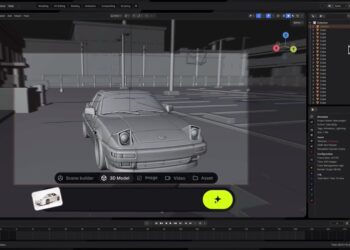

KeyShot has updated KeyShot Studio with new material standards, updated rendering tools and performance improvements. The release introduces features such as OpenPBR, Cryptomatte, a Custom Pivot tool, faster displacements and improved AMD performance.
The update adds a Custom Pivot tool that lets users define pivot points directly inside Studio rather than relying on the original CAD file. Modes for corners, cylinders and spheres provide ways to place pivots on edges, axes or centers depending on the part’s geometry. Support for OpenPBR now keeps original material parameters when bringing files from applications such as Rhino, Blender and GLTF/GLB sources into Studio. Cryptomatte support has been introduced as a render pass for easier part selection in compositing, exporting EXR files that can be read by compatible post-production tools.
The material graph can now be docked within the main interface. Interaction updates include cursor-targeted zooming, unlocked panning, optional grid display and snapping to help organize nodes. CAD metadata transfer has been automated for several major CAD sources, allowing metadata to be filtered, saved and shared among users. A depth of field lock has been added through a “Keep Focus” toggle so cameras automatically refocus when moved.
Displacement refreshes run significantly faster in this release, with internal tests showing reductions from about ten seconds to about one and a half seconds in some cases. AMD hardware performance gains of up to fifty percent are reported. AI Shots now retain generated images until removed by the user, support bulk deletion and allow quick comparison with their 3D sources. AI-generated images can also be assigned as backplates through a new share function or by dragging them directly into the 3D view.
Updates to the Light Layers tool include a light position lock axis. Importing Rhino scenes is more efficient through instancing, reducing memory use and allowing larger scenes to load. The Tri-planar shader has been expanded to accept both images and procedural textures, letting users connect nodes such as Marble directly and adjust their parameters inside the material graph.
To find out more, visit the KeyShot website.